
Technical SEO Basics Every Website Owner Should Understand
What is Technical SEO?
Technical SEO is a process of optimizing your website’s complete technical elements. Thus, the search engines like Google can easily crawl, index, and rank your website. It ensures search engines understand your website more and improves its performance. If you are a website owner, you should definitely know more about SEO and related things.
Why is Technical SEO Important?
Without proper technical SEO optimization, search engines may not crawl your pages properly. Your website speed may be slow. Pages may not get indexed. And rankings may also drop. Even the best content cannot rank if your technical SEO is lacking.
On-Page vs Technical SEO
On-page SEO is the process of optimizing the content of a webpage to improve the search engine rankings and user experience. It mainly focuses on the content, so it should be more informative and quality content. It includes the title tag, meta description, content, images, external links, etc. On-page SEO is important because it’s like a ladder. The clients who visit and engage with the content and information on our webpage will finally become the customers.
Simply it helps google or search engines to understand your website completely.
Technical SEO mainly focuses on website structure and performance. It includes:
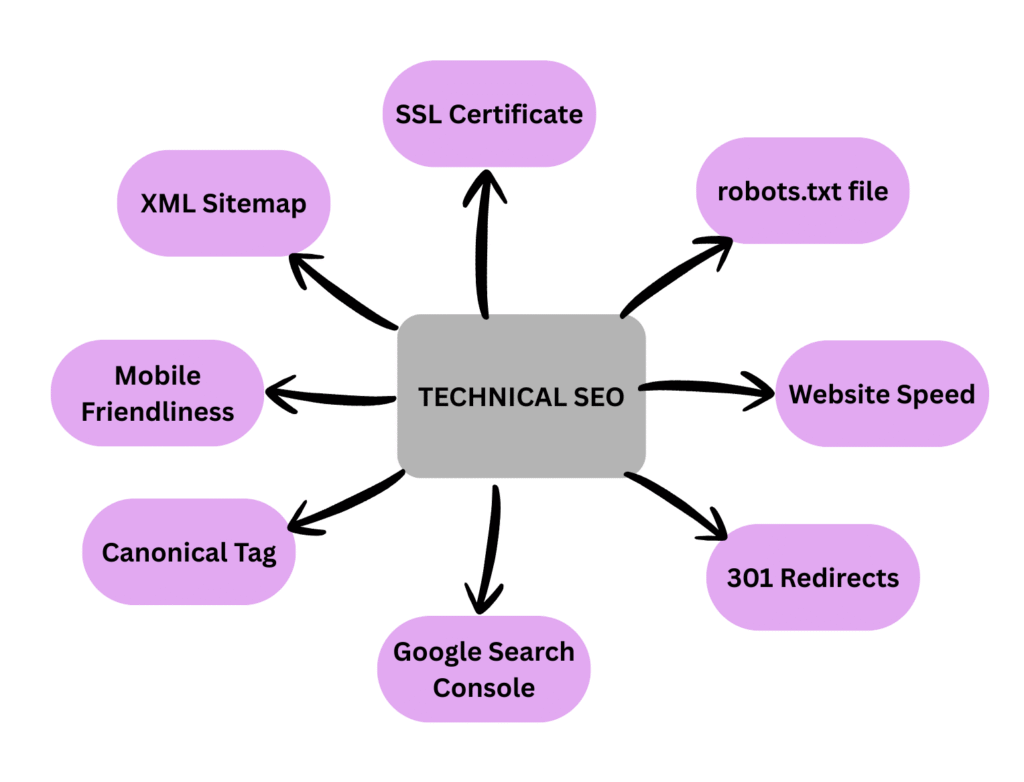
- Website speed
- Mobile friendliness
- XML Sitemap
- robots.txt file
- Google Search Console
- Canonical tag
- SSL Certificate
- 301 Redirect
Important Technical SEO Techniques
Now let’s dig into technical Seo techniques.
1. Improving our website speed
When we are trying to load a website but it’s taking too much time, what will we feel? Feeling bored right? So, the website speed really matters. Websites taking more than 3 seconds to load can lose up to 40% of visitors. Our clients may leave our website because of delay in loading. But we can solve this by simple tips.
- Enable caching
- Compress images
- Use lightweight themes
- Minify CSS & JavaScript
2. Mobile-friendly Design
When we are creating a website, we are not only focusing on desktop users but also consider mobile users. Our website should be fit into any platform like, mobile phones, desktop or even tablet. That’s called responsive design.
3. XML Sitemap
An XML Sitemap helps the search engines to understand about different pages on the website. And it submits it into Google Search Console. By viewing this file can discover URLs faster, the last updated date then only search engine can recrawl into those pages etc.
4. Robots.txt File
It’s a small text file which tells search engines which pages are allowed to crawl and which pages they should not. It controls crawling and not index directly. Also, it protects private pages and prevents duplicate content issues. Thus, saves crawl budget.
5. Google Search Console (GSC)
Google Search Console is a free tool from Google; it helps website owners to monitors and improve website performance in search results. Before submitting a sitemap, website owners should ensure that the sitemap created correctly and that the robots.txt file does not block any important pages. The sitemap then submitted to Google Search Console to help search engines to crawl and index efficiently.
6. Canonical Tag
Canonical Tag is another important ranking concept. It’s a Technical SEO element that helps search engines understand the correct version of webpage when multiple URLs contain similar content. By using a canonical tag website owners can avoid duplicate content issues and improves crawl efficiency then can ensures search engines index correct pages.
7. SSL Certificate (Secure Socket Layer)
An SSL Certificate secure a website by encrypting the data that transferred from a user’s browser and the server. Websites with SSL use HTTPS instead of HTTP. HTTPS is a ranking factor for Google. If you clearly watch a website having only http there will be a warning like site is not secure, then you will not trust the site and take another one, right? So, if you are a website owner you should take serious about this certificate. The users will easily skip your site due to this trust issue.
8. 301 Redirect
A 301 redirect is a permanent redirection from one URL to another. When we try to load a URL, but it redirects automatically to another URL. It’s because when a domain changes, updating URL structure, or migrating to HTTP to HTTPS.
Technical SEO Checklist
Here is a simple checklist:
- Website loads in under 3 seconds
- Mobile-friendly design
- XML sitemap submitted
- Robots.txt file created
- HTTPS enabled
- Canonical tags added
- Proper URL structure
You can use this checklist regularly to maintain your website’s technical SEO
How Technical SEO Helps Improve Website Performance
When technical SEO optimization is done correctly:
- Website loads faster
- User experience improves
- Bounce rate decreases
- Search engines crawl easily
- Rankings improve
- More organic traffic comes
Technical SEO is not a one-time task. It requires continuous monitoring and updates.
Final Thoughts
This blog clearly mentioned technical SEO and its key elements. As a website owner, technical SEO is a must-do thing. It is not a simple thing to avoid. Without technical SEO, the best content will not rank. Proper usage of technical SEO techniques and maintenance of an SEO checklist will improve performance and high rankings of your website.